Setup
How to Install and Use Genshin Impact Cheats
If you just bought a license and you are staring at a blank desktop wondering what to click first, this thread is for you. The flow is boring on purpose: install, inject once, open the menu, turn on one ESP filter at a time.
Get Access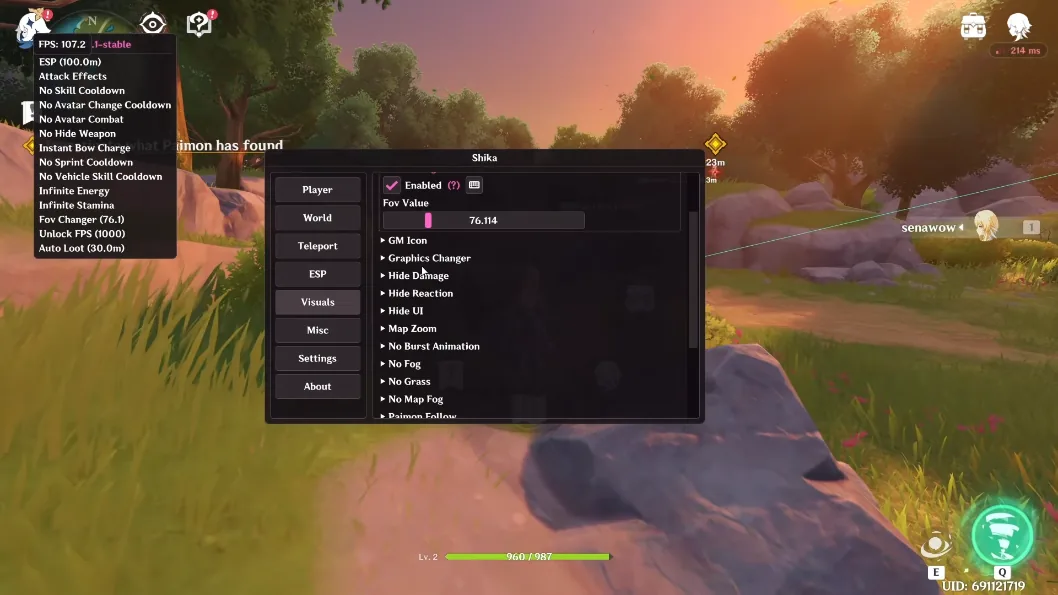
First launch checklist
Run the loader as admin, pick the Genshin client build shown in the status page, and wait for the success toast before alt-tabbing back in. Open the menu with the key from your license email — default is usually Insert or Home.
Start with chest ESP only. Crank distance down to 80m until you confirm boxes line up with real chests. Then add oculi or ore filters one by one so you know which toggle caused a stutter.
Configs worth saving
Name profiles by region (Mondstadt farm, Liyue ores, Sumeru puzzle chests). Save after you dial tracer width and font size — those two settings are what make screenshots readable on ultrawide monitors.
If something feels off after a game patch, export your JSON backup before you reset. Support can tell you faster which module needs a rebuild when you attach that file.
Official game guides & resources
We link to trusted third-party sources so you can verify patch notes, player stats, and map info outside our site.
- Genshin Impact on PC Official store page, system requirements, and player reviews.
- Genshin Impact patch notes & news Read official update posts before you change your loadout.
- Official Genshin Impact website Game overview from HoYoverse.
- Genshin Impact Wiki (Fandom) Player stats, maps, and character builds.
- Genshin Impact community hub Announcements and community discussions.
Discussion
mika_r 2026-09-02
took me two tries bc i forgot to run as admin lol. chest esp alone is worth it for my dailies
teo.n 2026-09-03
menu key was NOT insert for me, check the email again. works fine after that
capsule_9 2026-09-05
anyone else get a black screen first launch? reboot fixed it, might been my overlay software
LynetteFan 2026-09-06
wish the pdf was shorter but the step list here is clearer than discord pins